Apple Intelligence iOS 27 arrives at WWDC with sweeping AI upgrades across Photos, Safari, Passwords, Messages, and nearly every core app
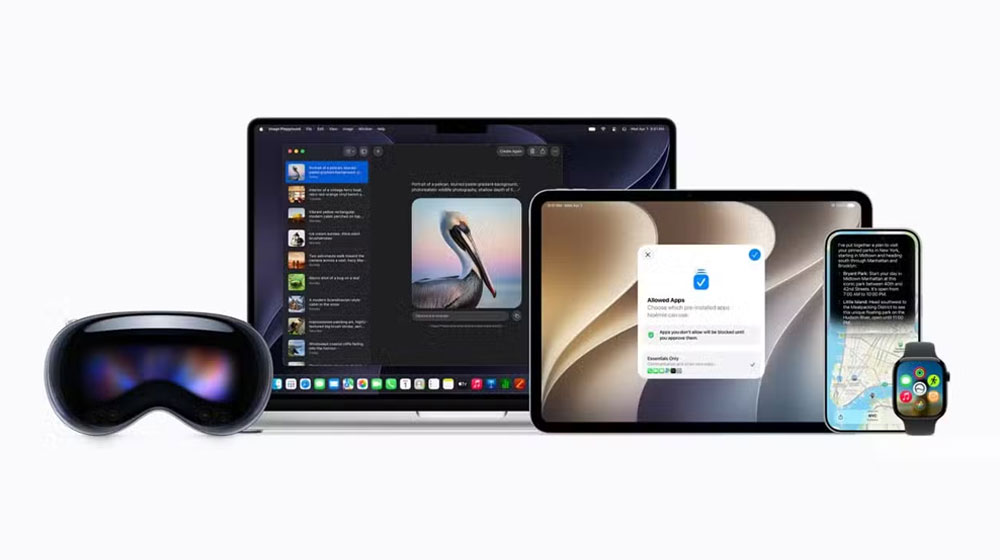
Apple pulled back the curtain on its biggest AI update yet. The company announced a sweeping new set of Apple Intelligence features for iOS 27, iPadOS 27, macOS 27, watchOS 27, and visionOS 27 at its Worldwide Developers Conference. Apple Intelligence iOS 27 touches nearly every core app on the platform. Moreover, Siri received the most significant upgrade, while Photos, Safari, Messages, Mail, Phone, Shortcuts, Home, and Accessibility all gained meaningful new AI capabilities. A public beta arrives next month, with full availability this fall on supported devices.
Photos
Photos gets stronger AI editing tools built on more powerful image models. A new Spatial Reframing tool lets users change a photo’s composition after the shot, dragging and previewing perspective shifts in real time. Furthermore, a new Extend tool allows users to expand images, straighten horizons, or adjust aspect ratios without losing important content. The Clean Up tool also improves, removing distractions with more realistic infill in complex scenes. All AI-edited images will carry a hidden SynthID watermark.
Safari
Safari can now automatically organise open tabs into relevant topic groups. As users browse, new tabs slot into existing groups or create fresh ones. Furthermore, a new Notify Me feature lets users ask Safari to monitor web pages for changes like restocks or price drops. A Describe an Extension tool also lets users generate custom browser extensions by describing what they want.
Passwords
The Passwords app can now fix weak or compromised passwords automatically. Furthermore, it uses Apple Intelligence and Safari to sign into supported websites and upgrade passwords with a single tap. Stronger passwords are then saved directly to the app.
Image Playground
Image Playground now generates photorealistic images using a new generative model running on Apple’s Private Cloud Compute. Users can edit images through prompts or by tapping and brushing objects to move or resize them. Furthermore, the tool can create Lock Screen wallpapers and Contact Posters. All generated images carry a SynthID watermark.
Messages and Mail
Messages adds one-tap suggestions based on conversation context, including reminders, notes, and photo searches. Furthermore, Smart Reply in both Messages and Mail now adapts to a user’s personalised writing style. Mail suggestions also expand to support actions in third-party apps.
Phone and Calendar
A new Call Context feature shows relevant information like confirmation codes when calling businesses. Furthermore, Apple said the feature runs entirely on-device and shares nothing with Apple or third parties. Calendar also gains AI support, letting users describe events in natural language while the app identifies contacts, locations, and titles automatically.
Shortcuts
Shortcuts gets a Describe a Shortcut feature. Users describe what they want, and the app assembles the required steps. Furthermore, users can refine shortcuts through natural language descriptions rather than manual editing.
Home
The Home app combines related accessory notifications into single activity summaries. Furthermore, HomeKit Secure Video cameras can now generate video descriptions and allow users to search clips for specific events like package deliveries.
Accessibility
VoiceOver delivers richer image descriptions for blind users. Live Recognition lets users press the Action button and ask questions about their surroundings. Furthermore, Voice Control becomes more flexible, allowing users to describe buttons and controls instead of memorising exact labels.
Privacy and Availability
Apple Intelligence uses a new architecture built with Google and Gemini models, running both on-device and through Private Cloud Compute. Furthermore, Apple confirmed Private Cloud Compute does not store user data or share it with anyone. Apple Intelligence supports iPhone 16 and later, iPhone 15 Pro models, compatible iPads and Macs with M1 or later, Apple Vision Pro, and Apple Watch Series 9 or later. Finally, supported languages include English, French, German, Spanish, Chinese, Japanese, Korean, and several others, with some features subject to daily usage limits.